So what’s it like running SD on mobile? Here’s my take on a few apps.
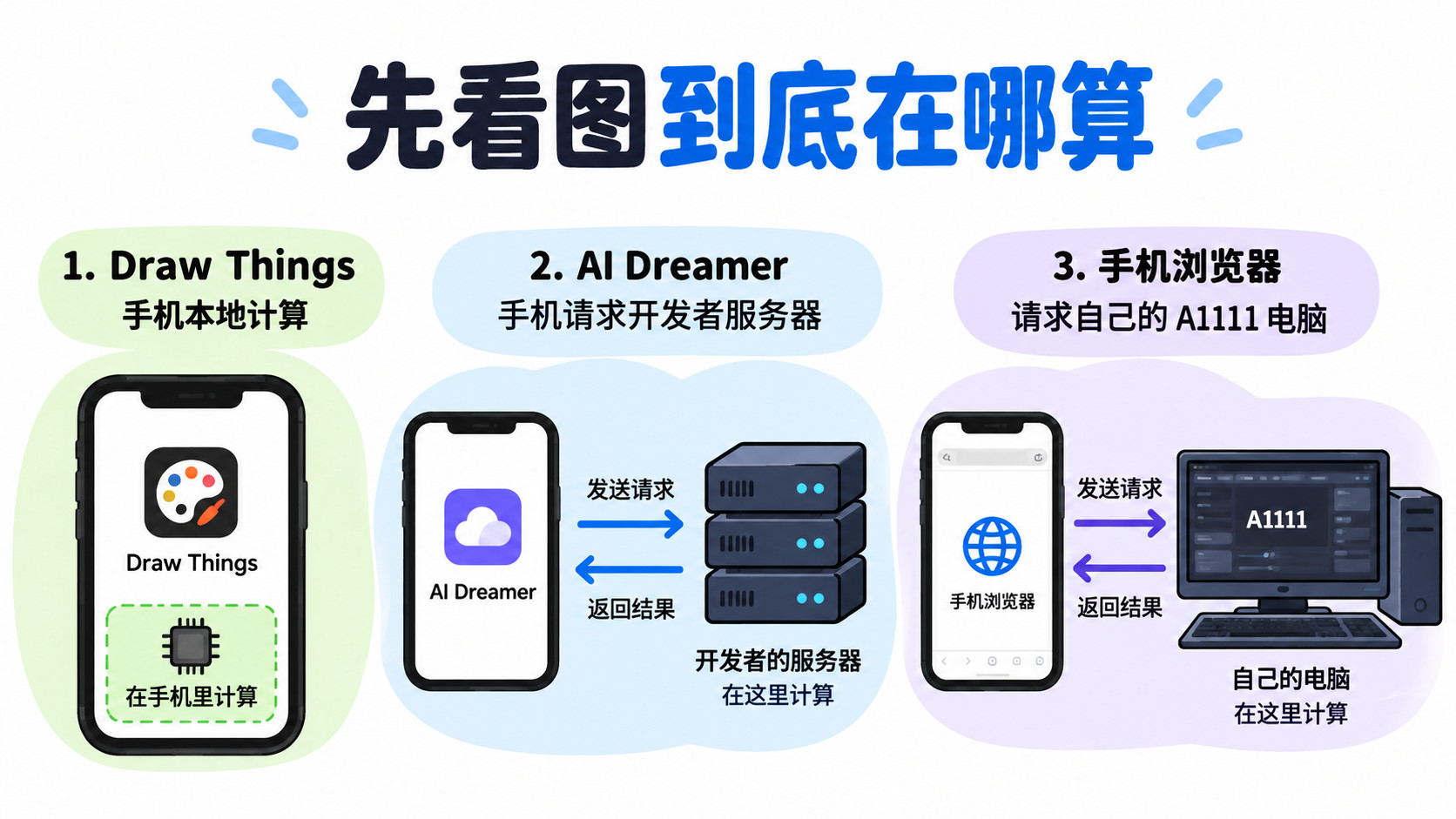
On iPhone, CoreML lets you run it locally—speed depends on your device. Draw Things is the most feature-packed: you can download recommended models, use local ones, or pull from Civitai. It supports LoRA, Textual Inversion, ControlNet, upscalers, img2img, inpaint—pretty much everything. Free and no ads. Some people complain the buttons are too many and too small, which I get—cramming the whole SD interface onto a phone screen is a nightmare. On an iPhone 14, generating 512x512 takes about 39 seconds.
Then there’s AI Dreamer, which goes for a minimalist vibe—clean interface, great for beginners. But generation runs on the dev’s server, so it’s paid. You get 20 free generations per day, which is enough for casual messing around.
Honestly, the most practical approach I’ve found: if you have A1111 installed on your PC, add a command-line argument to enable remote access, then just connect your phone browser to host-ip:7860. That basically puts your local compute power on your phone, giving you the most customization.