Just trained a LoRA on Z-Image Turbo using Ostris AI Toolkit, got results in an hour.

I had this character dataset sitting around that I originally prepped for Flux, and I’ve been meaning to try it on Z-Image Turbo for a while. Finally got around to messing with it last week. Used Ostris’s AI Toolkit—haven’t touched it in ages, and when I went back, the list of newly supported models was insane.

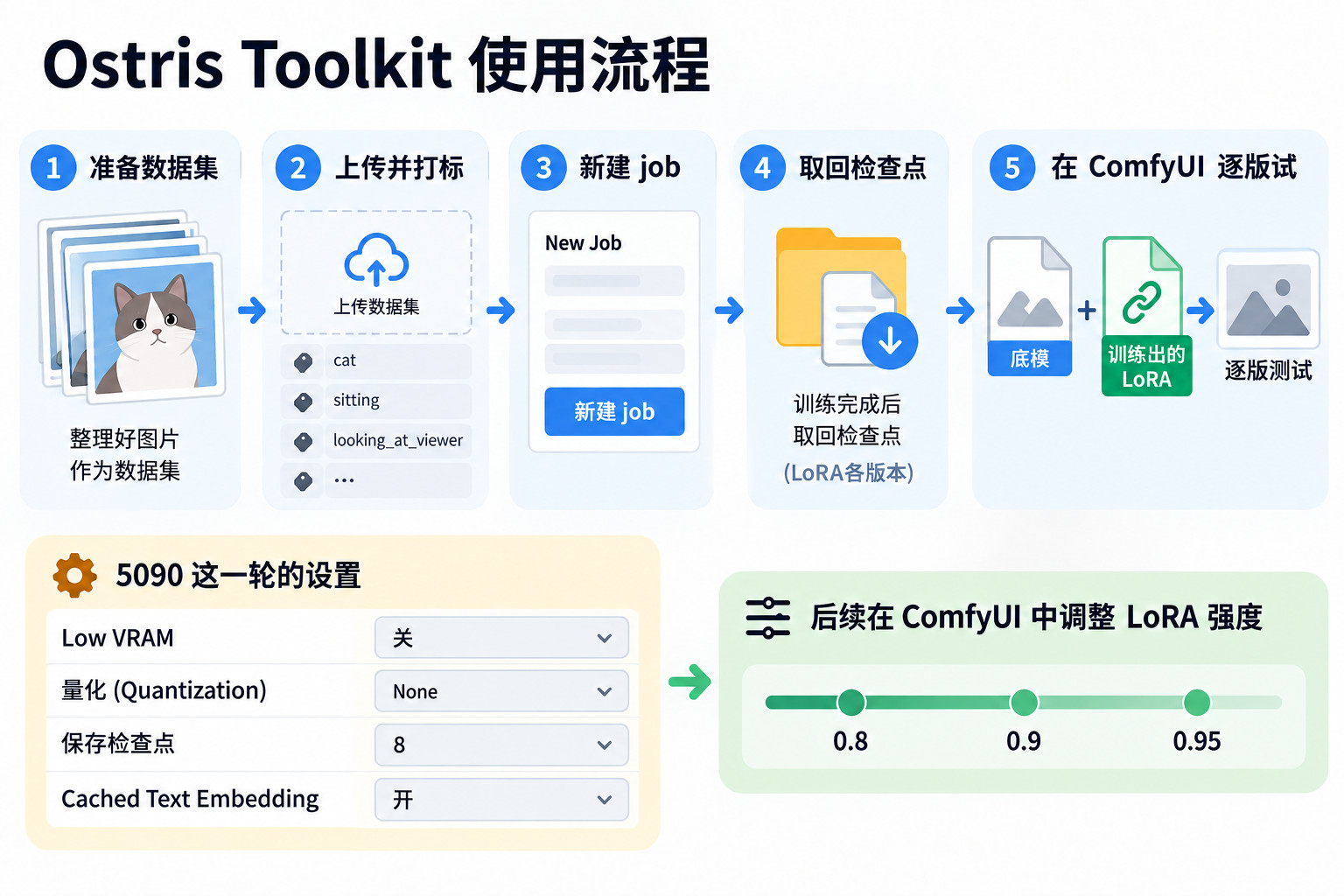
The workflow’s actually pretty straightforward: Toolkit comes with a ready-to-go Docker image, so you just search “ostris” in the cloud platform’s template library and spin up the environment. Once the pod’s up, hop into the panel, create a dataset, upload your images, tag 'em, then create a new job. I left most params at default, just tweaked a few things: turned off Low VRAM, set quantization to None, bumped the checkpoint save count to 8 (I like having more versions to pick from), and enabled Cached Text Embedding.

I rented a 5090 for this—3000 steps took about an hour and ten minutes. Downloaded all eight intermediate versions plus the final one, dumped 'em into ComfyUI’s loras folder, and tested each one. Ended up keeping the LoRA strength between 0.8 and 0.95 for final outputs, and the results were way better than I expected. If you’ve got over 24GB of VRAM, you can pretty much copy this setup verbatim.

Just an hour and ten minutes and it’s done, the 5090 is legit.

mark

Wait, setting quantization to None won’t cause VRAM explosion? I’ve got 24G and it OOMs the moment I turn it on.

Z-Image Turbo for character consistency? How’s it holding up? Is it actually better than the Flux version?

Anyone got a tutorial for labeling datasets? Been looking for one.

Quantization set to None, 24G really does OOM easy. Only felt safe once I dropped to 8bit, quality loss is basically invisible to the eye.