Yo, Krea 2 just dropped as a Partner Node in ComfyUI. The style transfer and moodboard features are legit fire.

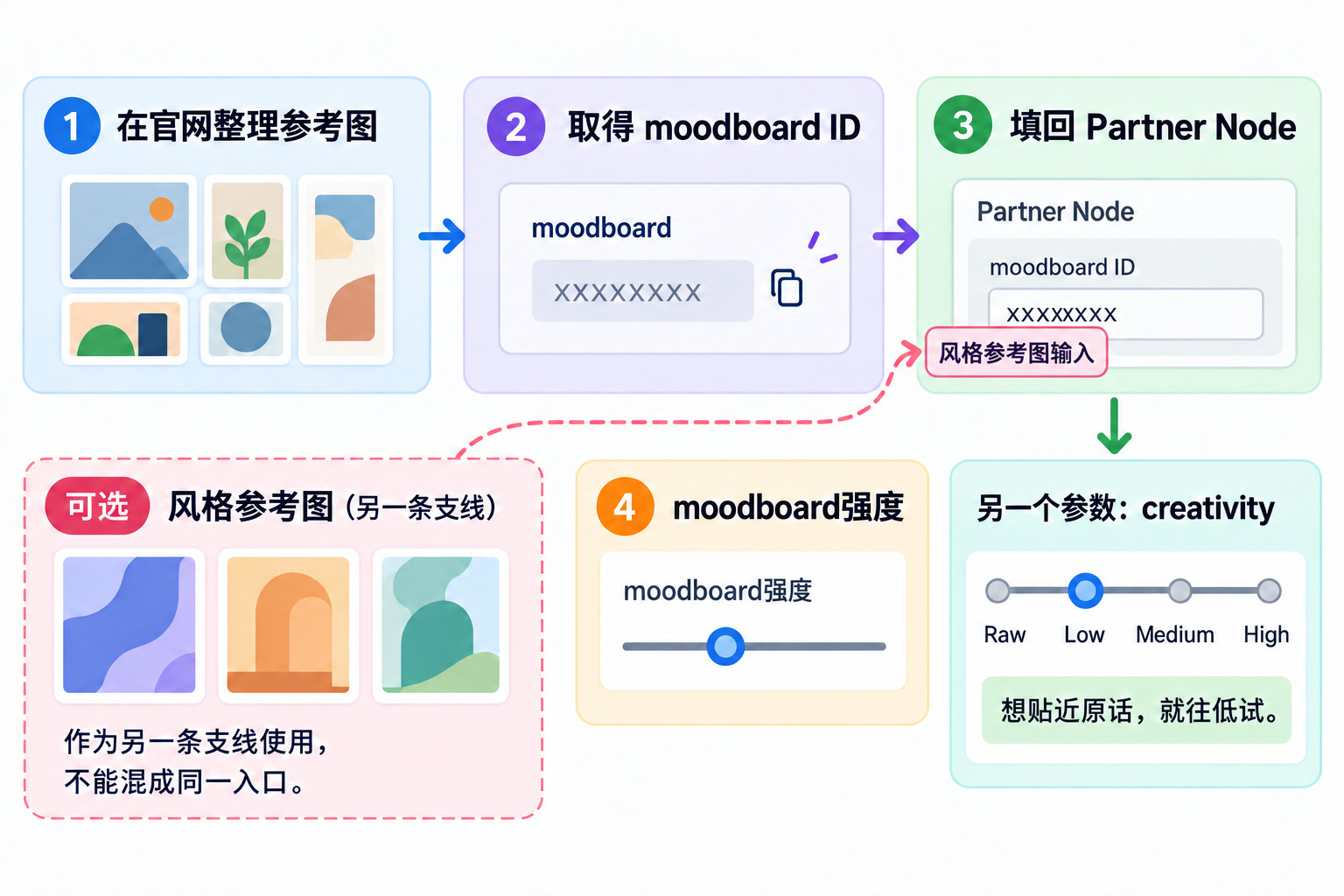
Krea just dropped their first from-scratch image model as a ComfyUI Partner Node. The node lets you tweak prompt, model, aspect ratio, creativity, moodboard, seed, and there’s an optional style reference image input. The whole design philosophy is basically handing you the reins on where the output’s headed.

They’ve got two models available: Krea 2 Large and Medium. Medium’s smaller, faster, and more VRAM-friendly—it’s got heavier post-training, so runs are more consistent, and it absolutely kills it with illustration, anime, and painterly styles. Large is over twice the size with lighter post-training, so outputs feel rawer and more textured—it’s the go-to for realistic and that gritty “non-AI” vibe.

For me, two things stand out. First, style transfer—drop a reference image in, it extracts the style and slaps it onto your generation, and it’s top-tier in its class. Second, the moodboard—build a set of images on Krea’s site, grab the ID, paste it into the node field, then use the slider to control intensity. Even with a dead-simple prompt, different moodboards give wildly different results. If you’re working on a project that needs a consistent style across the board, this is your main control. Creativity has four levels: Raw, Low, Medium, High—the higher you go, the more it adds its own aesthetic depth; dial it down if you want to stick close to the prompt.

Honestly, moodboard is a lifesaver for client work. The client sends me reference images, I just feed them straight in.

I really wanna try Large for that non-AI vibe. Right now the images I generate are just way too fake-looking, it’s painful.

So you gotta create the moodboard ID on the official website first, right? Can’t just do it locally? That’s a bit of a hassle.

Yeah, for real.